 dea00b418c
- Position NOFX around US stocks, commodities, forex, and crypto

- Update the README hero, feature summary, markets section, and architecture label

- Keep the copy affirmative and avoid defensive crypto-only comparisons
NOFX
Your AI trading terminal assistant for US stocks, commodities, forex, and crypto.
One intelligent terminal for multi-market research, strategy, execution, and automation.








English · 中文 · 日本語 · 한국어 · Русский · Українська · Tiếng Việt
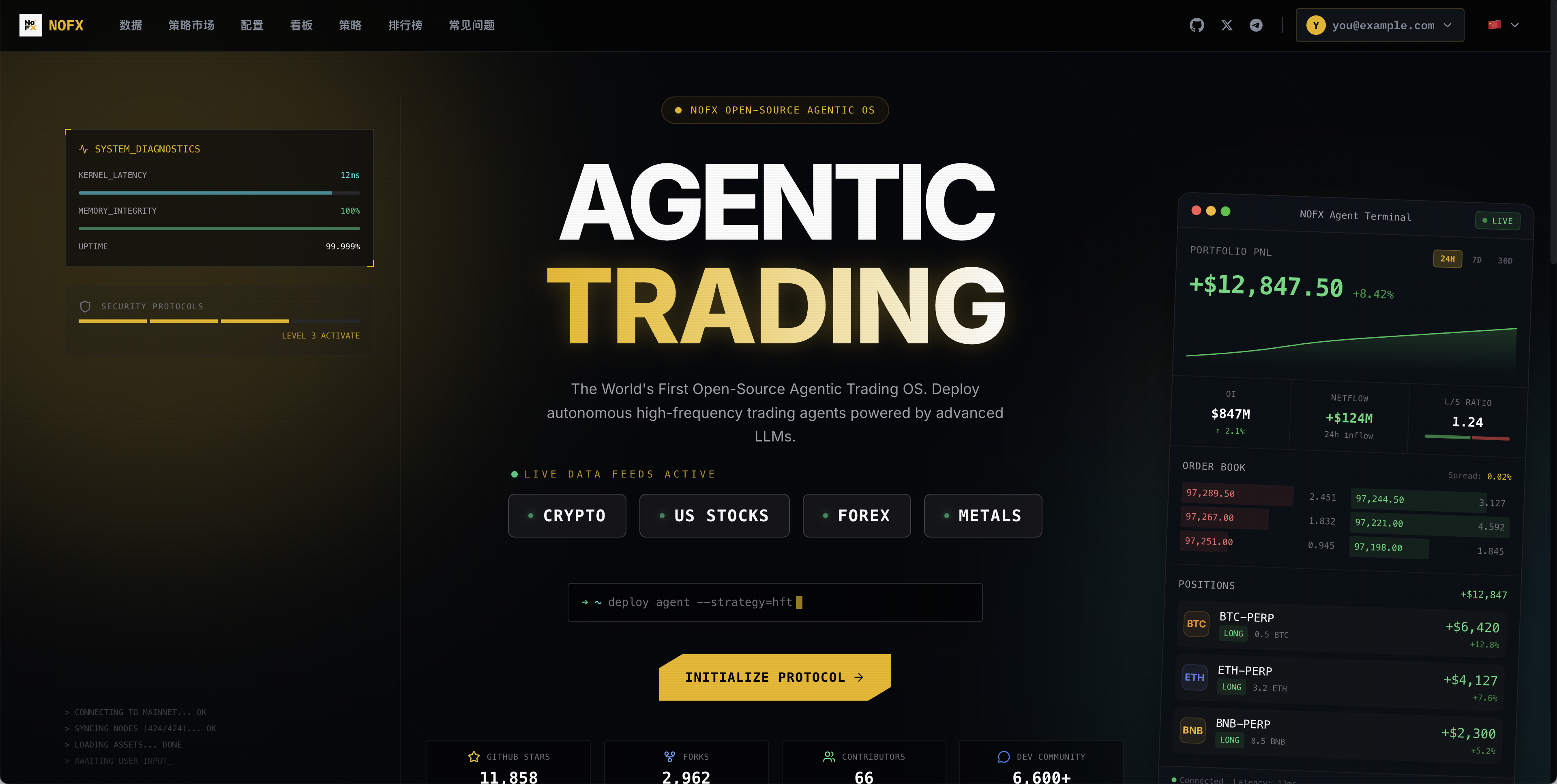
NOFX is an open-source AI intelligent trading terminal assistant built for US stocks, commodities, forex, and crypto. It gives traders one terminal to research markets, generate strategies, connect execution venues, monitor positions, and automate trading workflows with AI.
Unlike traditional AI tools that require you to manually configure models, manage API keys, and wire up data sources — NOFX's AI perceives markets, selects models, and fetches data entirely on its own. You define the trading intent; the AI handles model selection, market data, strategy reasoning, and execution support across asset classes.
Multi-market focus: US stocks first, then commodities, forex, and crypto — with Hyperliquid-powered access patterns for on-chain perps and a unified AI workflow for every market.
Fully autonomous: The AI decides which model to use, what market data to pull, when to trade — all by itself. No manual model configuration. No juggling API keys for different services. Just fund a USDC wallet and let it run.
What makes it different: built-in x402 micropayments. No API keys. Fund a USDC wallet and pay per request. Your wallet is your identity.
curl -fsSL https://raw.githubusercontent.com/NoFxAiOS/nofx/main/install.sh | bash
Open http://127.0.0.1:3000. Done.
Quick Demo
Click the cover image to watch the demo video.
How x402 Works
Traditional flow: register account → buy credits → get API key → manage quota → rotate keys.
x402 flow:
Request → 402 (here's the price) → wallet signs USDC → retry → done
No accounts. No API keys. No prepaid credits. One wallet, every model.
Built-in x402 Providers
| Provider | Chain | Models |
|---|---|---|
 Claw402 Claw402 |
Base | GPT-5.4, Claude Opus, DeepSeek, Qwen, Grok, Gemini, Kimi — 15+ models |
What It Does
| Feature | Description |
|---|---|
| AI Trading Terminal | One assistant for US stocks, commodities, forex, and crypto trading workflows |
| Multi-AI | DeepSeek, Qwen, GPT, Claude, Gemini, Grok, Kimi, MiniMax — switch anytime |
| Multi-Market Execution | Hyperliquid plus major CEX/DEX connectors for cross-asset strategy execution |
| Strategy Studio | Visual builder — market universes, indicators, risk controls |
| AI Competition | AIs compete in real-time, leaderboard ranks performance |
| Telegram Agent | Chat with your trading assistant — streaming, tool calling, memory |
| Dashboard | Live positions, P/L, AI decision logs with Chain of Thought |
Markets
US Stocks · Commodities · Forex · Crypto
NOFX brings AI-assisted research, strategy generation, backtesting, execution, and monitoring into one terminal for US equities, commodity markets, FX pairs, and digital assets.
Exchanges (CEX)
| Exchange | Status | Register (Fee Discount) |
|---|---|---|
 Binance Binance |
✅ | Register |
 Bybit Bybit |
✅ | Register |
 OKX OKX |
✅ | Register |
 Bitget Bitget |
✅ | Register |
 KuCoin KuCoin |
✅ | Register |
 Gate Gate |
✅ | Register |
Exchanges (Perp-DEX)
| Exchange | Status | Register (Fee Discount) |
|---|---|---|
 Hyperliquid Hyperliquid |
✅ | Register |
 Aster DEX Aster DEX |
✅ | Register |
 Lighter Lighter |
✅ | Register |
AI Models (API Key Mode)
| AI Model | Status | Get API Key |
|---|---|---|
 DeepSeek DeepSeek |
✅ | Get API Key |
 Qwen Qwen |
✅ | Get API Key |
 OpenAI (GPT) OpenAI (GPT) |
✅ | Get API Key |
 Claude Claude |
✅ | Get API Key |
 Gemini Gemini |
✅ | Get API Key |
 Grok Grok |
✅ | Get API Key |
 Kimi Kimi |
✅ | Get API Key |
 MiniMax MiniMax |
✅ | Get API Key |
AI Models (x402 Mode — No API Key)
15+ models via Claw402 — just a USDC wallet
Screenshots
Config Page
| AI Models & Exchanges | Traders List |
|---|---|
 |
 |
Dashboard
| Overview | Market Chart |
|---|---|
 |
 |
| Trading Stats | Position History |
|---|---|
 |
 |
| Positions | Trader Details |
|---|---|
 |
 |
Strategy Studio
| Strategy Editor | Indicators Config |
|---|---|
 |
 |
Competition
| Competition Mode |
|---|
 |
Install
Linux / macOS
curl -fsSL https://raw.githubusercontent.com/NoFxAiOS/nofx/main/install.sh | bash
Railway (Cloud)

Docker
curl -O https://raw.githubusercontent.com/NoFxAiOS/nofx/main/docker-compose.prod.yml
docker compose -f docker-compose.prod.yml up -d
Windows
Install Docker Desktop, then:
curl -o docker-compose.prod.yml https://raw.githubusercontent.com/NoFxAiOS/nofx/main/docker-compose.prod.yml
docker compose -f docker-compose.prod.yml up -d
From Source
# Prerequisites: Go 1.21+, Node.js 18+, TA-Lib
# macOS: brew install ta-lib
# Ubuntu: sudo apt-get install libta-lib0-dev

git clone https://github.com/NoFxAiOS/nofx.git && cd nofx
go build -o nofx && ./nofx          # backend
cd web && npm install && npm run dev  # frontend (new terminal)
Update
curl -fsSL https://raw.githubusercontent.com/NoFxAiOS/nofx/main/install.sh | bash
Setup
Beginner mode: First-time users get a guided onboarding flow — select beginner mode at registration and the system walks you through AI, exchange, and strategy setup step by step.
Advanced mode:
- AI — Add API keys or configure x402 wallet
- Exchange — Connect exchange API credentials
- Strategy — Build in Strategy Studio
- Trader — Combine AI + Exchange + Strategy
- Trade — Launch from the dashboard
Everything through the web UI at http://127.0.0.1:3000.
Deploy to Server
HTTP (quick):
curl -fsSL https://raw.githubusercontent.com/NoFxAiOS/nofx/main/install.sh | bash
# Access via http://YOUR_IP:3000
HTTPS (Cloudflare):
- Add domain to Cloudflare (free plan)
- A record → your server IP (Proxied)
- SSL/TLS → Flexible
- Set
TRANSPORT_ENCRYPTION=truein.env
Architecture
                              NOFX
    ┌─────────────────────────────────────────────────┐
    │                 Web Dashboard                     │
    │           React + TypeScript + TradingView        │
    │      US Stocks · Commodities · Forex · Crypto     │
    ├─────────────────────────────────────────────────┤
    │                  API Server (Go)                  │
    ├──────────┬──────────┬──────────┬────────────────┤
    │  Strategy  │      Telegram       │
    │   Engine   │       Agent         │
    ├──────────┴──────────┴──────────┴────────────────┤
    │               MCP AI Client Layer                │
    │    ┌───────────┐  ┌───────────┐  ┌───────────┐  │
    │    │  API Key   │  │   x402    │  │           │  │
    │    │ DeepSeek   │  │ Claw402   │  │           │  │
    │    │ GPT,Claude │  │           │  │           │  │
    │    └───────────┘  └───────────┘  └───────────┘  │
    ├─────────────────────────────────────────────────┤
    │             Exchange Connectors                   │
    │  Binance · Bybit · OKX · Bitget · KuCoin · Gate  │
    │      Hyperliquid · Aster DEX · Lighter            │
    └─────────────────────────────────────────────────┘
Docs
| Architecture | System design and module index |
| Strategy Module | Coin selection, AI prompts, execution |
| FAQ | Common questions |
| Getting Started | Deployment guide |
Contributing
See Contributing Guide · Code of Conduct · Security Policy
Contributor Airdrop Program
All contributions are tracked. When NOFX generates revenue, contributors receive airdrops.
Pinned Issues get the highest rewards.
| Contribution | Weight |
|---|---|
| Pinned Issue PRs | ★★★★★★ |
| Code (Merged PRs) | ★★★★★ |
| Bug Fixes | ★★★★ |
| Feature Ideas | ★★★ |
| Bug Reports | ★★ |
| Documentation | ★★ |
Links
| Website | nofxai.com |
| Dashboard | nofxos.ai/dashboard |
| API Docs | nofxos.ai/api-docs |
| Telegram | nofx_dev_community |
| @nofx_official |
Risk Warning: AI auto-trading carries significant risks. Recommended for learning/research or small amounts only.
Sponsors


