 1851508353
The agent felt like an artificial idiot because the LLM almost never spoke
for itself: 14+ Go paths injected fmt.Sprintf canned replies, the frontend
filtered out tool-progress events so users saw three dots for 10-20s, the
main prompt told the LLM "be a trading partner" AND "answer only what's
asked", and the planner sliced the toolset by inferred domain so a "BTC
dropped, how much am I losing?" question couldn't see positions and market
at the same time.

- agent/central_brain.go: shouldTrustDeterministicSkillReply now always
  returns false. Successful mutations (trader/strategy/model/exchange
  create/update/start/stop/delete) flow through reviewTaskCompletion so the
  LLM sees the real outcome JSON and writes the user-facing prose. The
  trade-confirmation regex path (handleTradeConfirmation) was already
  outside this code path and is unaffected.

- agent/agent.go: rewrite the Behavior section of the main system prompt.
  Replace the contradictory "answer only what's asked / don't upsell" with
  "lead with the direct answer, then optionally one relevant follow-up
  only when (a) open risk, (b) missing config, or (c) the next step is
  obvious — e.g. created, want me to start it?". Explicitly authorize
  chaining ("if the user says create and start, do both this turn") and
  ban "please wait / I'll get back to you" language because there is no
  background job to come back from.

- agent/tools.go: plannerToolsForText always returns the full 22-tool set
  (new __all__ domain). The old per-domain trimming hid manage_trader from
  market questions and execute_trade from anything that didn't look like
  an explicit trade — cross-domain reasoning was structurally blocked. The
  compact-vs-full strategy schema switch is preserved so mutation intents
  still see the full config schema.

- web/src/components/agent/{AgentStepPanel,ChatMessages}.tsx: stop
  filtering tool: steps. Map raw tool names to friendly labels with emoji
  ("get_positions" → "📊 检查持仓") in zh/en/id. Users now see what the
  agent is doing in real time instead of silence. central_brain routing
  chatter still gets dropped.

- agent/planner_tools_test.go: tests updated to assert the new
  full-toolset behavior and the compact-vs-full strategy schema switch.
Backed by vergex.trade
NOFX
AI trading terminal for global markets.
Research, strategy generation, execution, and monitoring for US stocks, commodities, forex, and crypto.






English · 中文 · 日本語 · 한국어 · Русский · Українська · Tiếng Việt
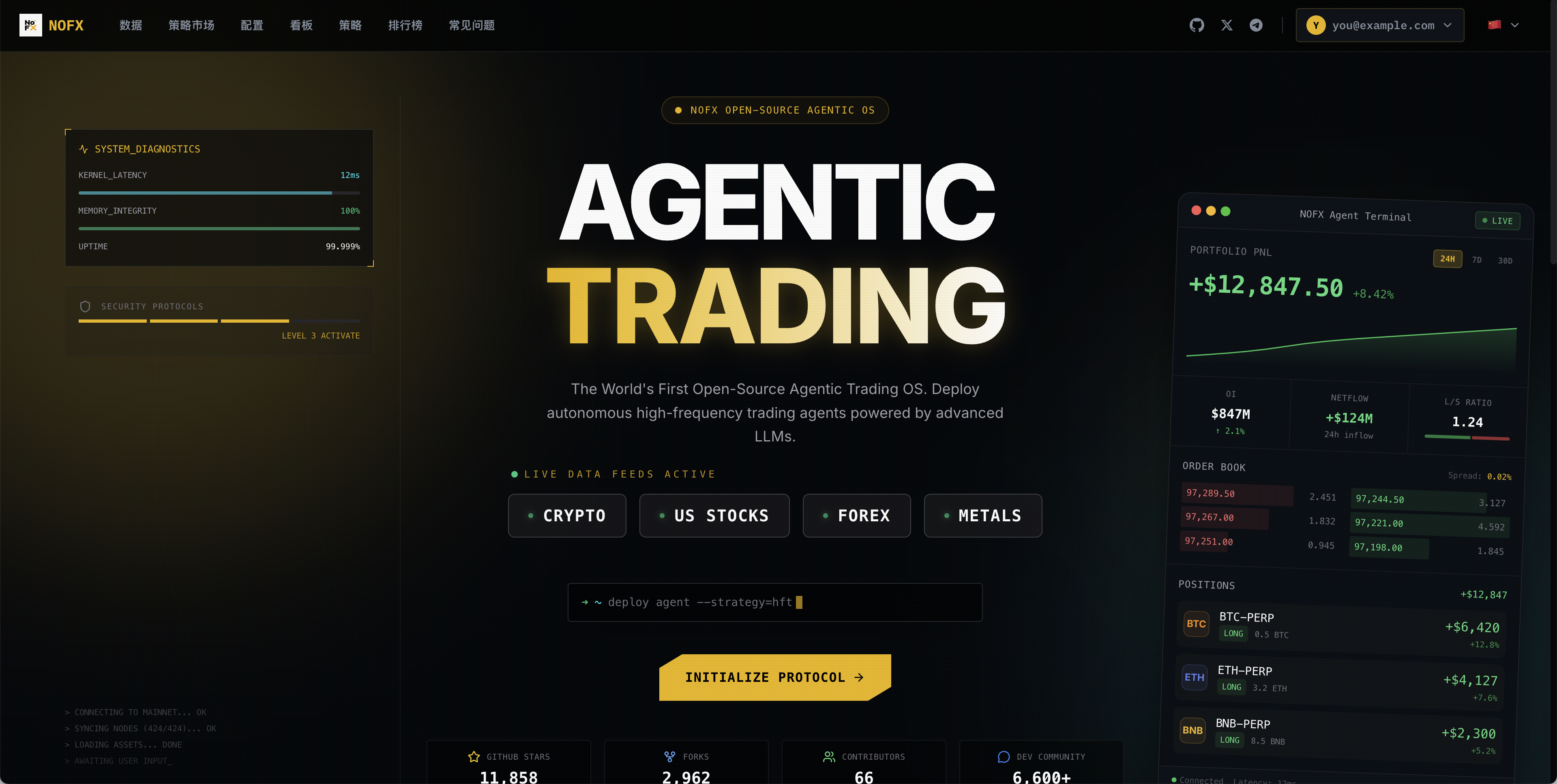
NOFX is an open-source AI trading terminal for active traders who want one workspace for market research, strategy development, execution, and portfolio monitoring.
The product is built around global liquid markets: US equities, commodity contracts, FX pairs, and digital assets. The AI layer helps translate market intent into watchlists, signals, strategy logic, risk controls, and execution workflows.
curl -fsSL https://raw.githubusercontent.com/NoFxAiOS/nofx/main/install.sh | bash
Open http://127.0.0.1:3000.
Register exchanges
Use the links below to open trading accounts for crypto and supported US stock, FX, and commodity derivative markets. These routes are part of NOFX partner programs and may include fee discounts or referral benefits.
| Exchange | Status | Register with fee discount |
|---|---|---|
 Binance Binance |
✅ | Register |
 Bybit Bybit |
✅ | Register |
 OKX OKX |
✅ | Register |
 Hyperliquid Hyperliquid |
✅ | Register |
 Bitget Bitget |
✅ | Register |
 KuCoin KuCoin |
✅ | Register |
 Gate Gate |
✅ | Register |
 Aster Aster |
✅ | Register |
 Lighter Lighter |
✅ | Register |
Quick demo
Click the cover image to watch the demo video.
Markets
US Stocks · Commodities · Forex · Crypto
NOFX organizes research, strategy construction, execution, and monitoring around multi-asset workflows instead of single-venue screens.
AI model access
NOFX routes AI inference through Claw402 automatically. Users do not need to configure model providers, manage API keys, or maintain separate AI accounts. The terminal accesses supported models on demand through Claw402's pay-as-you-go infrastructure, with traffic routed through the official discounted channel.
| Provider | Access |
|---|---|
| Claw402 | Access pay-as-you-go AI models with official discount |
Capabilities
| Capability | Description |
|---|---|
| AI trading terminal | Unified workspace for US stocks, commodities, forex, and crypto workflows |
| AI model access | Unified model access through Claw402-supported providers |
| Exchange connectivity | Binance, Bybit, OKX, Hyperliquid, Bitget, KuCoin, Gate, Aster, and Lighter |
| Strategy Studio | Market universes, indicators, risk controls, and strategy logic |
| Model competition | Compare model-driven traders with live performance and leaderboard tracking |
| Telegram agent | Control and monitor the trading assistant through chat |
| Portfolio dashboard | Positions, P/L, execution history, and model decision logs |
Screenshots
Config Page
| Configuration | Traders List |
|---|---|
 |
 |
Dashboard
| Overview | Market Chart |
|---|---|
 |
 |
| Trading Stats | Position History |
|---|---|
 |
 |
| Positions | Trader Details |
|---|---|
 |
 |
Strategy Studio
| Strategy Editor | Indicators Config |
|---|---|
 |
 |
Competition
| Competition Mode |
|---|
 |
Install
Linux / macOS
curl -fsSL https://raw.githubusercontent.com/NoFxAiOS/nofx/main/install.sh | bash
Railway (Cloud)

Docker
curl -O https://raw.githubusercontent.com/NoFxAiOS/nofx/main/docker-compose.prod.yml
docker compose -f docker-compose.prod.yml up -d
Windows
Install Docker Desktop, then:
curl -o docker-compose.prod.yml https://raw.githubusercontent.com/NoFxAiOS/nofx/main/docker-compose.prod.yml
docker compose -f docker-compose.prod.yml up -d
From Source
# Prerequisites: Go 1.21+, Node.js 18+, TA-Lib
# macOS: brew install ta-lib
# Ubuntu: sudo apt-get install libta-lib0-dev

git clone https://github.com/NoFxAiOS/nofx.git && cd nofx
go build -o nofx && ./nofx          # backend
cd web && npm install && npm run dev  # frontend (new terminal)
Update
curl -fsSL https://raw.githubusercontent.com/NoFxAiOS/nofx/main/install.sh | bash
Setup
Beginner mode: Guided onboarding walks new users through model selection, exchange connection, strategy setup, and first deployment.
Advanced mode:
- Configure AI model access
- Connect exchange credentials
- Build or import a strategy
- Create an AI trader profile
- Launch, monitor, and iterate from the dashboard
All configuration is available from the web UI at http://127.0.0.1:3000.
Deploy to server
HTTP deployment:
curl -fsSL https://raw.githubusercontent.com/NoFxAiOS/nofx/main/install.sh | bash
# Access via http://YOUR_IP:3000
HTTPS via Cloudflare:
- Add domain to Cloudflare (free plan)
- A record → your server IP (Proxied)
- SSL/TLS → Flexible
- Set
TRANSPORT_ENCRYPTION=truein.env
Architecture
                              NOFX
    ┌─────────────────────────────────────────────────┐
    │                 Trading Terminal                 │
    │        React + TypeScript + TradingView          │
    │      US Stocks · Commodities · Forex · Crypto    │
    ├─────────────────────────────────────────────────┤
    │                  API Server (Go)                  │
    ├──────────────┬──────────────┬───────────────────┤
    │   Strategy    │   Telegram   │   Trader Runtime  │
    │    Engine     │    Agent     │   Risk Controls   │
    ├──────────────┴──────────────┴───────────────────┤
    │                 AI Model Layer                    │
    │    Unified provider access through Claw402        │
    │    Model routing · payment · execution support    │
    ├─────────────────────────────────────────────────┤
    │              Exchange Connectivity                │
    │ Binance · Bybit · OKX · Hyperliquid · Bitget     │
    │ KuCoin · Gate · Aster · Lighter                  │
    └─────────────────────────────────────────────────┘
Docs
| Architecture | System design and module index |
| Strategy Module | Coin selection, AI prompts, execution |
| FAQ | Common questions |
| Getting Started | Deployment guide |
Contributing
See Contributing Guide, Code of Conduct, and Security Policy.
Contributor Airdrop Program
NOFX tracks meaningful contributions and intends to reward contributors as the ecosystem grows. Priority issues carry higher reward weight.
| Contribution | Weight |
|---|---|
| Pinned Issue PRs | ★★★★★★ |
| Code (Merged PRs) | ★★★★★ |
| Bug Fixes | ★★★★ |
| Feature Ideas | ★★★ |
| Bug Reports | ★★ |
| Documentation | ★★ |
Links
| Website | vergex.trade |
| Dashboard | vergex.trade/explore |
| Telegram | nofx_dev_community |
| @vergex_ai |
Risk warning: Automated trading involves substantial risk. Use appropriate position sizing, understand each exchange venue, and do not trade funds you cannot afford to lose.
Sponsors


